
ေအာက္မွာေရးထားတာက ဖုန္းအားသြင္းေနတုန္း ဖုန္း၀င္လာတယ္.....ဖုန္းစကားျပန္ေျပာ စဥ္ ခဏေနေတာ့္ ဖုန္းထဲကိုလ်ွပ္စီးစီး၀င္လာျပီး ေပါက္ကြဲသြားတယ္......
University of Miami Hospital က အေရးေပၚ အလြန္ထူးဆန္းတဲ့ သတိေပးခ်က္ပါ။
ေကာင္ေလး ရဲ ့မိဘေတြ သူ႕ အခန္းထဲ ကို အသံၾကားၾကားခ်င္း ေျပး၀င္လာၾကတဲ ့ အခါလက္ေတြေလာင္ေနျပီ ႏွလုံးခုန္ႏႈန္း မရွိသေလာက္ နဲ ့သတိေမ့ေမ်ာေနတဲ့သူ ႕ကို ေတြ႔လုိက္ ရပါတယ္.....သူ႕ကုိ နီးစပ္ရာေဆးရုံကို အေရးေပၚပို ့ေဆာင္လုိက္ရပါတယ္.....
က်ြန္ေတာ့္ အထင္ဒါကျဖစ္ခဲပါတယ္......အားသြင္းၾကိဳး ခ်ိဳ့ယြင္းခ်က္ေၾကာင့္ ၾကိဳးပူးျပီး short ျဖစ္သြားတာထင္တယ္......usb port လွုပသြားလို့လည္းျဖစ္ႏိုင္ပါတယ္.....
အေကာင္းဆံုးကေတာ့္ အားသြင္းေနတုန္း ဖုန္းကိုမည္သည့္ကိစၥမွ မသံုးတာကပိုေကာင္းမည္ဟုထင္ပါတယ္........
Ref::::https://vivajoyhealthclub.wordpress.com/2011/04/08/do-not-use-phone-while-charging%E2%80%8F/
Do not use phone while charging
Please pass this warning around…….

Just at that time a call came in and he answered it with the charging Instrument still connected to the outlet.


Cell phones are a very useful modern invention.
However, we must be aware that it can also be an instrument of death.
Never use the cell phone while it is hooked to the electrical outlet! If you are charging the cell phone and a call comes in, unplug it from the charger and outlet.
Thanks Jacq Siew for sending over this important warning note
Labels: Android Tutorials-IV, Knowledges-VI, Mobile-III


0
comments

2. Proximity sensor 1
3. Proximity sensor 2
3. Proximity sensor 2
Proximity Sensor ဆိုတာကေတာ့ Touch Screen ဖုန္းေတြမွာ ဖုန္းေျပာေနတုန္း နားနဲ႔ဖုန္းကိုကပ္လိုက္တဲ့အခါ Screen ကို မေတာ္တဆထိမိလိုက္ရင္ ဖုန္းပိတ္သြားတာတို႔ အျခား Function တစ္ခုကိုခ်ိန္းသြားတာတို႔ကို မျဖစ္ေအာင္ တားဆီးေပးထားတဲ့စနစ္တစ္ခုပါ။ ဖုန္းရဲ႕အေပၚဖက္နားမွာ အေပါက္ေလးတစ္ခု ( သို့မဟုတ္ ) ႏွစ္ခု ရွိၿပီး သူ႔ကိုလက္နဲ႔ျဖစ္ျဖစ္ တစ္ခုခုနဲ႔ ပိတ္မိလိုက္တာနဲ႔ Screen ကိုပိတ္ေပးတဲ့စနစ္ပါ။ ဖုန္းေျပာလို႔ ဖုန္းကိုနားနဲ႔ကပ္လိုက္ရင္ သူ႔ကိုပိတ္မိသြားတဲ့အတြက္ Screen ကိုနားနဲ႔ထိမိလည္း ဘာမွမျဖစ္ႏိုင္ေတာ့ပါဘူး။

တစ္ခ်ိဳ့ အနိမ့္ဖုန္းေတြမွာေတာ့္ ear phone နားမွာ အတန္းေလး ပံုစံ မ်ိဳးႏွင့္ ေတြ့ရမွာပါ....
Labels: Android-V, Mobile-III, Phone Glossary

Prepaid card ေတြရဲ႕ message center ပါတ္ကေတာ့ +9595930003 ျဖစ္ပါတယ္
Labels: Android Tutorials-IV, Mobile-III
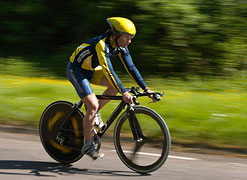
ကင္မရာမ်ားတြင္ auto focus ထည့္ေပးထားျခင္းျဖင့္ မိမိရဲ႕လက္မတည္ၿငိမ္ျခင္းေၾကာင့္ ႐ုပ္ပံုမ်ားေ၀၀ါးစြာ မ႐ိုက္မိေစရန္ အထူး အကူအညီေပးမည့္ function တစ္ခုျဖစ္သည္။
၎ function ကို ကင္မရာပါ၀င္ေသာ အခ်ဳိ႕ ဟန္းဆက္မ်ားတြင္ ထည့္သြင္းေပးထားျခင္းျဖင့္ သံုးစဲြသူမွ ဖုန္းျဖင့္ဓာတ္ပံု႐ိုက္ကူးမည္ဟု ဆိုလိုက္သည္ႏွင့္ screen ေပၚတြင္ မ်က္လံုးပံုေလးေပၚလာမည္ျဖစ္ၿပီး လက္မၿငိမ္ပါက အနီေရာင္ေပၚေနၿပီး ႐ိုက္ကူးရန္ အသင့္ျဖစ္ သြားပါက အစိမ္းေရာင္ေျပာင္းသြားမည္။
ထိုအခ်ိန္ ႐ိုက္ကူးလိုက္ပါက ပံုေကာင္းတစ္ပံုကို ရရွိမည္ျဖစ္သည္။ Auto focus ပါ၀င္ေသာ ကင္မရာမ်ားတြင္ ႐ိုက္ကူးသည့္ buttom ကို နိမ့္သည့္အခါတြင္ ႏွစ္ဆင့္ဖိႏွိပ္ရ မွာျဖစ္ပါတယ္။ ပထမတစ္ခ်က္က auto focus အလုပ္လုပ္မည္ျဖစ္ၿပီး ေနာက္တစ္ခ်က္သည္ ႐ိုက္ကူးမႈၿပီး ဆံုးျခင္းျဖစ္ပါတယ္။
CAMERA AUTOFOCUS
A camera's autofocus system intelligently adjusts the camera lens to obtain focus on the subject, and can mean the difference between a sharp photo and a missed opportunity. Despite a seemingly simple goal—sharpness at the focus point—the inner workings of how a camera focuses are unfortunately not as straightforward. This tutorial aims to improve your photos by introducing how autofocus works—thereby enabling you to both make the most of its assets and avoid its shortcomings.
Note: Autofocus (AF) works either by using contrast sensors within the camera (passive AF) or by emitting a signal to illuminate or estimate distance to the subject (active AF). Passive AF can be performed using either the contrast detection or phase detection
methods, but both rely on contrast for achieving accurate autofocus;
they will therefore be treated as being qualitatively similar for the
purposes of this AF tutorial. Unless otherwise stated, this tutorial
will assume passive autofocus. We will also discuss the AF assist beam
method of active autofocus towards the end.
Labels: Mobile-III, Phone Glossary
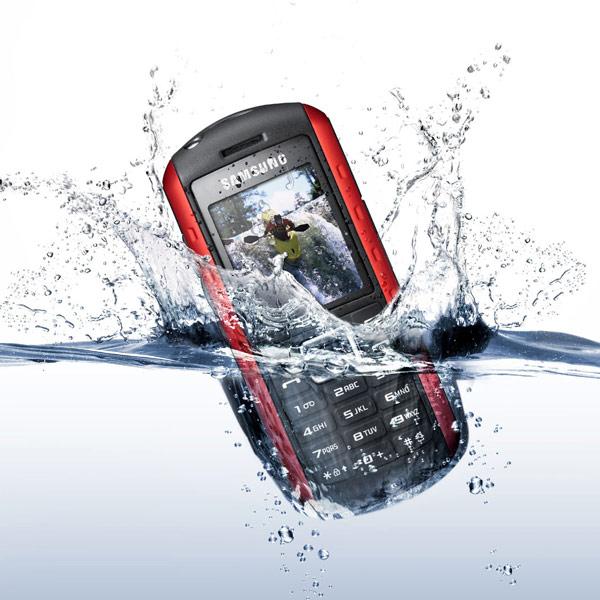
- ဘက္ထရီထည့္ထားတဲ့ ကာဗာကို ျဖဳတ္ပါ......
- Power button ကို ခ်က္ခ်င္းပိတ္ပစ္ျခင္းကို ဦးစြာ မလုပ္ဘဲ ဘက္ထရီကိုသာ ဦးစြာထုတ္ပါ.....
- ဘက္ထရီကို အျမန္ဆံုးထုတ္ထားၿပီး ဖုန္းမွာစိုစြတ္ေနတဲ့ အစိတ္အပိုင္းေတြကို အ၀တ္အစနဲ႔သုတ္ပါ..
- memory card ထည့္တဲ့ေနရာ၊ sim card အစရွိတာေတြကို ျဖဳတ္ထားလိုက္ပါ..
- Hair Dryer နဲ့ ေႏြးရံုေလးသာ အပူေပးပါ.....
- ေျခာက္ေလာက္ျပီထင္ရင္ ဘက္ထရီ တခုပဲ ျပန္ထည့္ျပီးပါ၀ါဖြင့္ပါ.....
- အဆင္ေျပမွ ပါ၀ါပိတ္ျပီး SD Card SIM Card ျပန္ထည့္ပါ....
- ဒါမွ မရရင္ ဆားဗစ္ဆိုင္ကို အျမန္ဆံုး သြားသင့္ပါတယ္....
Quickly Repair Your Mobile Phone Dropped In Water :-

(1) Act Quickly :
straight away get into action and remove every cover and detachable
part you possibly can like memory card, the SIM card, battery and back
cover, etc. Now use a toilet paper or a thin cloth to blot away any
excess water you can see inside of the phone and be sure to get as much
as you can. Otherwise, all this water will start evaporating and
collecting in hard to reach various places in your phone.
Your phone may work now if it was only submerged for a short period of time.
(2) Quick Drying : Grab a hairdryer and start drying your phone paying extra attention to the battery housing as this normally has small holes which allow air (and ironically enough water) into the phone
Your phone may work now if it was only submerged for a short period of time.
(2) Quick Drying : Grab a hairdryer and start drying your phone paying extra attention to the battery housing as this normally has small holes which allow air (and ironically enough water) into the phone
A warning:
Don’t hold the hair dryer too close to the phone. Keep it at a distance
whereby if you put your hand in front of the hair dryer it would not
burn you. Bringing it closer could damage your phone’s electrical
components. If i am sounding serious, try putting a hair dryer up
against a sheet of paper for a few seconds. It turns it brown – would
you want that happening to the inside of your phone?
(3) Long Term Drying : By
putting it in a warm dry place you allow the water to slowly evaporate
and escape through the holes in the phone (remove the covers and battery
when doing this).
Labels: Android Tutorials-IV, Mobile-III
ဖုန္းရဲ႕ display အေရာင္ကို လိုအပ္သလို ခ်ိန္ညိႇလို႔ရပါတယ္။ Setting။ ထဲက
display modeက မွာသြားၿပီး အေရာင္ အတိုးအေလ်ာ့လုပ္ယူလို႔ရႏိုင္ပါတယ္။
အေရာင္အတိုးအေလ်ာ့လည္းမရေတာ့ဘူး၊ Display၊ က
ခပ္ေမွာင္ေမွာင္ျဖစ္ေနမယ္ဆိုရင္ေတာ့ display့ မေကာင္းေတာ့ျခင္းျဖစ္ပါတယ္။
ၾကာလာရ display ကလံုး ၀မေပၚေတာ့တာျဖစ္တတ္ၿပီး ပ်က္စီးသြားတတ္ပါတယ္။
Display။ ကိုလဲလွယ္မယ္ဆုိရင္ေတာ့ ေမာ္ဒယ္ brand
အလိုက္လဲလွယ္၍ရႏိုင္ပါတယ္။
Labels: Android Tutorials-IV, Mobile-III
Call Center မွ ၀န္ေဆာင္မႈ အသစ္ အေနနဲ႔ တစ္ရက္ကို ၂၀၀ က်ပ္နဲ႔ အင္တာနက္ သုံးစြဲႏိုင္မယ့္ Mobile E-mail Service ၀န္ေဆာင္မႈကို ဇြန္လ ၁၅ ရက္ ေန႔မွာ စတင္ မိတ္ဆက္ခဲ့ၿပီး ယခုအခါ စတင္ အသံုးျပဳ ႏုိင္ၿပီ ျဖစ္္တယ္လုိ႔ သိရပါတယ္။ အဆိုပါ စနစ္မွာ အင္တာနက္ ေလွ်ာက္ထား ၿပီးျဖစ္တဲ့ CDMA, GSM Mobile ဖုန္းေတြသာ အသုံးျပဳ ႏိုင္မွာ ျဖစ္ၿပီး အင္တာနက္ အသုံးျပဳခ ျဖစ္တဲ့ ၁ မိနစ္ကို ၂ က်ပ္၊ ၄ က်ပ္တို႔ ေပးစရာ မလိုပဲ ရက္နဲ႔သာ တြက္ၿပီး ၁ ရက္ကို ၂၀၀ က်ပ္နဲ႔ ၂၄ နာရီ အသုံးျပဳႏိုင္မွာ ျဖစ္ပါတယ္။
အသုံးျပဳလို သူေတြ အေနနဲ႔ Call Center သို႔ အသုံးျပဳ လိုေၾကာင္း Message ေပးပို႔ ရမွာ ျဖစ္ပါတယ္။ ဒီလို ေပးပို႔ရာမွာ Call Center ရဲ႕ ကုတ္နံပါတ္ တစ္ခုျဖစ္တဲ့ ၁၈၈၃ ကို GET MAIL ဆုိတဲ့ စကားလံုးကို အဂၤလိပ္ အကၡရာ စာလံုး အႀကီးမ်ား အသံုးျပဳကာ သုံးစြဲမယ့္ သူရဲ႕ အင္တာနက္ Account နဲ႔ Passward ကို ေပးပို႔ရမွာ ျဖစ္ပါတယ္။ အသုံးျပဳခ ကိုေတာ့ ဖုန္းေဘလ္ ထဲမွ ျဖတ္သြားမွာ ျဖစ္တယ္လုိ႔ သိရပါတယ္။ သုံးစြဲပုံ အေသးစိတ္ကို သိရွိလိုပါ ကလည္း Call Center သို႔ စုံစမ္း ေမးျမန္း ႏိုင္တယ္ လို႔လည္း သိရပါတယ္။
သုံးစြဲသူေတြ အေနနဲ႔ ၁ ရက္ကို ၂၀၀ က်ပ္နဲ႔ ၁ လစာ ၆၀၀၀ က်ပ္ သတ္မွတ္ ထားၿပီး အသုံးမျပဳ လိုတဲ့ ရက္ရွိပါက Call Center သို႔ ႀကိဳတင္ အေၾကာင္းၾကားၿပီး Server ပိတ္ထားရမွာ ျဖစ္ပါတယ္။ ဒီလို အေၾကာင္း မၾကားပါက တစ္လစာ အတြက္ က်ပ္ ၆၀၀၀ ကို မိမိဖုန္းေဘလ္ ထဲက ျဖတ္သြားမွာ ျဖစ္တယ္လို႔ သိရပါတယ္။ အဆိုပါ ၀န္ေဆာင္မႈကို ယခု ဇူလုိင္လ ၁ ရက္ေန႔မွ စတင္ကာ ေကာက္ခံမွာ ျဖစ္တယ္လို႔ သတင္း ရရွိပါတယ္။
Labels: Android Tutorials-IV, Mobile-III

Android OS ဖုန္းေတြမွာ Bluetooth Name ကိုေျပာင္းလဲခ်င္တယ္ဆိုရင္ေတာ့ ပထမဆံုးအေနနဲ႔ Setting ထဲကိုသြားပါ။ Setting ထဲမွာ Wireless Network ဆိုတာရွိပါတယ္။ Wireless Network ထဲမွာ Bluetooth နဲ႔ Bluetooth Setting ဆိုတာကိုေတြ႕ရမွာပါ။ Bluetooth ကိုႏွိပ္လိုက္တယ္ဆိုရင္ေတာ့ Bluetooth ပြင့္သြားမွာပါ။
Bluetooth Name ေျပာင္းလဲခ်င္တယ္ဆိုရင္ေတာ့ Bluetooth Setting ထဲကို၀င္လိုက္ပါ။ အဲဒီထဲမွာ Device Name ဆိုတာကိုေတြ႕ရပါလိမ့္မယ္။ အဲဒီ Device Name ထဲကို၀င္ၿပီး ကိုယ့္ရဲ႕ Bluetooth Name ကိုေျပာင္းလဲႏိုင္ပါတယ္။
Labels: Android Tutorials, Android Tutorials-IV, Android-II, Mobile-III, Mobile-IV
Android ဖုန္းေတြ မွာ Battery Level ကို ကိန္းဂဏန္း ၾကီးၾကီးျဖင့္ Notification Bar မွာ အရွင္းဆံုးေဖၚျပေန ေစရင္


ျပီးရင္ ဖြင့္ပါ.......Show Notification ကို အမွန္ျခစ္လိုက္ပါက Notification Bar မွာ ေဖၚျပေနပါမယ္......မရေသးပါက Service Options ကို တခ်က္ ႏွီပ္ပါ....


Labels: Android, Android Applications, Mobile-III, Mobile-IV
Android Phone ထဲက Contact ေတြကို SD Card ထဲ Backup လုပ္ထား ျခင္း အားျဖင့္ မွားဖ်က္မိတာတို့ ပ်က္သြားတာတို့ ဆိုရင္ ျပန္ရွာႏိုင္ပါတယ္.....
 1...Contact ကိုသြားပါ..
 2...Menu ကိုကလစ္
3...Import/Export ကိုကလစ္


3...Import/Export ကိုကလစ္
4....Export to SD card ကိုကလစ္
5...ျပီးရင္ OK ....
ဒါဆိုရင္ SD Card ထဲ Backup လုပ္ျပီးသြားပါျပီ
Labels: Android, Android Tutorials, Android Tutorials-IV, Mobile-III, Mobile-IV
KKZ Myanmar Unicode Keyboard


MoneTineKeyboard

Like လုပ်ထားနိုင်ပါတယ်

Labels
ဧည့်သည်တော်များခင်ဗျာ
- အခုဖတ်မည့် Post သည် လိင်မှု ပိုင်းဆိုင် ရာများ ကိုရေးသားထားခြင်းဖြစ်ပါသည်......
- သို့သော်ကျွန်တော်တို့ ရေးသား တင်ပြထားရခြင်းသည် ကျန်းမာရေး အတွက် သိထားနားလည် ထားသင့်သည် ဟုယူဆသော်ကြောင့်ဖြစ်ပါသည်.......
- ကျွန်တော်တို့၏ ဆောင်ပုဒ်သည်"ဘယ်အရာမဆို အားလုံးကို လုံးဝမတတ်ရင်နေ သိထား နားလည် ထားနိုင်ရင် ပိုကောင်းတယ်.." ဟု ဖြစ်ပါသည်..
►သို့ပါသော်ကြောင့် ကျန်းမာရေး ရှုဒေါင့်မှသာ ဖတ်ပေးပါရန် မေတ္တာ ရပ်ခံ
အပ်ပါသည်◄

ဧည့်သည်တော်များခင်ဗျာ
- အခုဖတ်မည့် Post သည် လိင်မှု ပိုင်းဆိုင် ရာများ ကိုရေးသားထားခြင်းဖြစ်ပါသည်......
- သို့သော်ကျွန်တော်တို့ ရေးသား တင်ပြထားရခြင်းသည် ကျန်းမာရေး အတွက် သိထားနားလည် ထားသင့်သည် ဟုယူဆသော်ကြောင့်ဖြစ်ပါသည်.......
- ကျွန်တော်တို့၏ ဆောင်ပုဒ်သည်"ဘယ်အရာမဆို အားလုံးကို လုံးဝမတတ်ရင်နေ သိထား နားလည် ထားနိုင်ရင် ပိုကောင်းတယ်.." ဟု ဖြစ်ပါသည်..
►သို့ပါသော်ကြောင့် ကျန်းမာရေး ရှုဒေါင့်မှသာ ဖတ်ပေးပါရန် မေတ္တာ ရပ်ခံ
အပ်ပါသည်◄
ဧည့်သည်တော်များခင်ဗျာ
- အခုဖတ်မည့် Post သည် လိင်မှု ပိုင်းဆိုင် ရာများ ကိုရေးသားထားခြင်းဖြစ်ပါသည်......
- သို့သော်ကျွန်တော်တို့ ရေးသား တင်ပြထားရခြင်းသည် ကျန်းမာရေး အတွက် သိထားနားလည် ထားသင့်သည် ဟုယူဆသော်ကြောင့်ဖြစ်ပါသည်.......
- ကျွန်တော်တို့၏ ဆောင်ပုဒ်သည်"ဘယ်အရာမဆို အားလုံးကို လုံးဝမတတ်ရင်နေ သိထား နားလည် ထားနိုင်ရင် ပိုကောင်းတယ်.." ဟု ဖြစ်ပါသည်..
►သို့ပါသော်ကြောင့် ကျန်းမာရေး ရှုဒေါင့်မှသာ ဖတ်ပေးပါရန် မေတ္တာ ရပ်ခံ
အပ်ပါသည်◄
ဧည့်သည်တော်များခင်ဗျာ
- အခုဖတ်မည့် Post သည် လိင်မှု ပိုင်းဆိုင် ရာများ ကိုရေးသားထားခြင်းဖြစ်ပါသည်......
- သို့သော်ကျွန်တော်တို့ ရေးသား တင်ပြထားရခြင်းသည် ကျန်းမာရေး အတွက် သိထားနားလည် ထားသင့်သည် ဟုယူဆသော်ကြောင့်ဖြစ်ပါသည်.......
- ကျွန်တော်တို့၏ ဆောင်ပုဒ်သည်"ဘယ်အရာမဆို အားလုံးကို လုံးဝမတတ်ရင်နေ သိထား နားလည် ထားနိုင်ရင် ပိုကောင်းတယ်.." ဟု ဖြစ်ပါသည်..
►သို့ပါသော်ကြောင့် ကျန်းမာရေး ရှုဒေါင့်မှသာ ဖတ်ပေးပါရန် မေတ္တာ ရပ်ခံ
အပ်ပါသည်◄
ဧည့်သည်တော်များခင်ဗျာ
- အခုဖတ်မည့် Post သည် လိင်မှု ပိုင်းဆိုင် ရာများ ကိုရေးသားထားခြင်းဖြစ်ပါသည်......
- သို့သော်ကျွန်တော်တို့ ရေးသား တင်ပြထားရခြင်းသည် ကျန်းမာရေး အတွက် သိထားနားလည် ထားသင့်သည် ဟုယူဆသော်ကြောင့်ဖြစ်ပါသည်.......
- ကျွန်တော်တို့၏ ဆောင်ပုဒ်သည်"ဘယ်အရာမဆို အားလုံးကို လုံးဝမတတ်ရင်နေ သိထား နားလည် ထားနိုင်ရင် ပိုကောင်းတယ်.." ဟု ဖြစ်ပါသည်..
►သို့ပါသော်ကြောင့် ကျန်းမာရေး ရှုဒေါင့်မှသာ ဖတ်ပေးပါရန် မေတ္တာ ရပ်ခံ
အပ်ပါသည်◄
ဧည့်သည်တော်များခင်ဗျာ
- အခုဖတ်မည့် Post သည် လိင်မှု ပိုင်းဆိုင် ရာများ ကိုရေးသားထားခြင်းဖြစ်ပါသည်......
- သို့သော်ကျွန်တော်တို့ ရေးသား တင်ပြထားရခြင်းသည် ကျန်းမာရေး အတွက် သိထားနားလည် ထားသင့်သည် ဟုယူဆသော်ကြောင့်ဖြစ်ပါသည်.......
- ကျွန်တော်တို့၏ ဆောင်ပုဒ်သည်"ဘယ်အရာမဆို အားလုံးကို လုံးဝမတတ်ရင်နေ သိထား နားလည် ထားနိုင်ရင် ပိုကောင်းတယ်.." ဟု ဖြစ်ပါသည်..
►သို့ပါသော်ကြောင့် ကျန်းမာရေး ရှုဒေါင့်မှသာ ဖတ်ပေးပါရန် မေတ္တာ ရပ်ခံ
အပ်ပါသည်◄
ဧည့်သည်တော်များခင်ဗျာ
- အခုဖတ်မည့် Post သည် လိင်မှု ပိုင်းဆိုင် ရာများ ကိုရေးသားထားခြင်းဖြစ်ပါသည်......
- သို့သော်ကျွန်တော်တို့ ရေးသား တင်ပြထားရခြင်းသည် ကျန်းမာရေး အတွက် သိထားနားလည် ထားသင့်သည် ဟုယူဆသော်ကြောင့်ဖြစ်ပါသည်.......
- ကျွန်တော်တို့၏ ဆောင်ပုဒ်သည်"ဘယ်အရာမဆို အားလုံးကို လုံးဝမတတ်ရင်နေ သိထား နားလည် ထားနိုင်ရင် ပိုကောင်းတယ်.." ဟု ဖြစ်ပါသည်..
►သို့ပါသော်ကြောင့် ကျန်းမာရေး ရှုဒေါင့်မှသာ ဖတ်ပေးပါရန် မေတ္တာ ရပ်ခံ
အပ်ပါသည်◄
ဧည့်သည်တော်များခင်ဗျာ
- အခုဖတ်မည့် Post သည် လိင်မှု ပိုင်းဆိုင် ရာများ ကိုရေးသားထားခြင်းဖြစ်ပါသည်......
- သို့သော်ကျွန်တော်တို့ ရေးသား တင်ပြထားရခြင်းသည် ကျန်းမာရေး အတွက် သိထားနားလည် ထားသင့်သည် ဟုယူဆသော်ကြောင့်ဖြစ်ပါသည်.......
- ကျွန်တော်တို့၏ ဆောင်ပုဒ်သည်"ဘယ်အရာမဆို အားလုံးကို လုံးဝမတတ်ရင်နေ သိထား နားလည် ထားနိုင်ရင် ပိုကောင်းတယ်.." ဟု ဖြစ်ပါသည်..
►သို့ပါသော်ကြောင့် ကျန်းမာရေး ရှုဒေါင့်မှသာ ဖတ်ပေးပါရန် မေတ္တာ ရပ်ခံ
အပ်ပါသည်◄
ဧည့်သည်တော်များခင်ဗျာ
- အခုဖတ်မည့် Post သည် လိင်မှု ပိုင်းဆိုင် ရာများ ကိုရေးသားထားခြင်းဖြစ်ပါသည်......
- သို့သော်ကျွန်တော်တို့ ရေးသား တင်ပြထားရခြင်းသည် ကျန်းမာရေး အတွက် သိထားနားလည် ထားသင့်သည် ဟုယူဆသော်ကြောင့်ဖြစ်ပါသည်.......
- ကျွန်တော်တို့၏ ဆောင်ပုဒ်သည်"ဘယ်အရာမဆို အားလုံးကို လုံးဝမတတ်ရင်နေ သိထား နားလည် ထားနိုင်ရင် ပိုကောင်းတယ်.." ဟု ဖြစ်ပါသည်..
►သို့ပါသော်ကြောင့် ကျန်းမာရေး ရှုဒေါင့်မှသာ ဖတ်ပေးပါရန် မေတ္တာ ရပ်ခံ
အပ်ပါသည်◄
ဧည့်သည်တော်များခင်ဗျာ
- အခုဖတ်မည့် Post သည် လိင်မှု ပိုင်းဆိုင် ရာများ ကိုရေးသားထားခြင်းဖြစ်ပါသည်......
- သို့သော်ကျွန်တော်တို့ ရေးသား တင်ပြထားရခြင်းသည် ကျန်းမာရေး အတွက် သိထားနားလည် ထားသင့်သည် ဟုယူဆသော်ကြောင့်ဖြစ်ပါသည်.......
- ကျွန်တော်တို့၏ ဆောင်ပုဒ်သည်"ဘယ်အရာမဆို အားလုံးကို လုံးဝမတတ်ရင်နေ သိထား နားလည် ထားနိုင်ရင် ပိုကောင်းတယ်.." ဟု ဖြစ်ပါသည်..
►သို့ပါသော်ကြောင့် ကျန်းမာရေး ရှုဒေါင့်မှသာ ဖတ်ပေးပါရန် မေတ္တာ ရပ်ခံ
အပ်ပါသည်◄
ဧည့်သည်တော်များခင်ဗျာ
- အခုဖတ်မည့် Post သည် လိင်မှု ပိုင်းဆိုင် ရာများ ကိုရေးသားထားခြင်းဖြစ်ပါသည်......
- သို့သော်ကျွန်တော်တို့ ရေးသား တင်ပြထားရခြင်းသည် ကျန်းမာရေး အတွက် သိထားနားလည် ထားသင့်သည် ဟုယူဆသော်ကြောင့်ဖြစ်ပါသည်.......
- ကျွန်တော်တို့၏ ဆောင်ပုဒ်သည်"ဘယ်အရာမဆို အားလုံးကို လုံးဝမတတ်ရင်နေ သိထား နားလည် ထားနိုင်ရင် ပိုကောင်းတယ်.." ဟု ဖြစ်ပါသည်..
►သို့ပါသော်ကြောင့် ကျန်းမာရေး ရှုဒေါင့်မှသာ ဖတ်ပေးပါရန် မေတ္တာ ရပ်ခံ
အပ်ပါသည်◄
ဧည့်သည်တော်များခင်ဗျာ
- အခုဖတ်မည့် Post သည် လိင်မှု ပိုင်းဆိုင် ရာများ ကိုရေးသားထားခြင်းဖြစ်ပါသည်......
- သို့သော်ကျွန်တော်တို့ ရေးသား တင်ပြထားရခြင်းသည် ကျန်းမာရေး အတွက် သိထားနားလည် ထားသင့်သည် ဟုယူဆသော်ကြောင့်ဖြစ်ပါသည်.......
- ကျွန်တော်တို့၏ ဆောင်ပုဒ်သည်"ဘယ်အရာမဆို အားလုံးကို လုံးဝမတတ်ရင်နေ သိထား နားလည် ထားနိုင်ရင် ပိုကောင်းတယ်.." ဟု ဖြစ်ပါသည်..
►သို့ပါသော်ကြောင့် ကျန်းမာရေး ရှုဒေါင့်မှသာ ဖတ်ပေးပါရန် မေတ္တာ ရပ်ခံ
အပ်ပါသည်◄
ဧည့်သည်တော်များခင်ဗျာ
- အခုဖတ်မည့် Post သည် လိင်မှု ပိုင်းဆိုင် ရာများ ကိုရေးသားထားခြင်းဖြစ်ပါသည်......
- သို့သော်ကျွန်တော်တို့ ရေးသား တင်ပြထားရခြင်းသည် ကျန်းမာရေး အတွက် သိထားနားလည် ထားသင့်သည် ဟုယူဆသော်ကြောင့်ဖြစ်ပါသည်.......
- ကျွန်တော်တို့၏ ဆောင်ပုဒ်သည်"ဘယ်အရာမဆို အားလုံးကို လုံးဝမတတ်ရင်နေ သိထား နားလည် ထားနိုင်ရင် ပိုကောင်းတယ်.." ဟု ဖြစ်ပါသည်..
►သို့ပါသော်ကြောင့် ကျန်းမာရေး ရှုဒေါင့်မှသာ ဖတ်ပေးပါရန် မေတ္တာ ရပ်ခံ
အပ်ပါသည်◄
ဧည့်သည်တော်များခင်ဗျာ
- အခုဖတ်မည့် Post သည် လိင်မှု ပိုင်းဆိုင် ရာများ ကိုရေးသားထားခြင်းဖြစ်ပါသည်......
- သို့သော်ကျွန်တော်တို့ ရေးသား တင်ပြထားရခြင်းသည် ကျန်းမာရေး အတွက် သိထားနားလည် ထားသင့်သည် ဟုယူဆသော်ကြောင့်ဖြစ်ပါသည်.......
- ကျွန်တော်တို့၏ ဆောင်ပုဒ်သည်"ဘယ်အရာမဆို အားလုံးကို လုံးဝမတတ်ရင်နေ သိထား နားလည် ထားနိုင်ရင် ပိုကောင်းတယ်.." ဟု ဖြစ်ပါသည်..
►သို့ပါသော်ကြောင့် ကျန်းမာရေး ရှုဒေါင့်မှသာ ဖတ်ပေးပါရန် မေတ္တာ ရပ်ခံ
အပ်ပါသည်◄
ဧည့်သည်တော်များခင်ဗျာ
- အခုဖတ်မည့် Post သည် လိင်မှု ပိုင်းဆိုင် ရာများ ကိုရေးသားထားခြင်းဖြစ်ပါသည်......
- သို့သော်ကျွန်တော်တို့ ရေးသား တင်ပြထားရခြင်းသည် ကျန်းမာရေး အတွက် သိထားနားလည် ထားသင့်သည် ဟုယူဆသော်ကြောင့်ဖြစ်ပါသည်.......
- ကျွန်တော်တို့၏ ဆောင်ပုဒ်သည်"ဘယ်အရာမဆို အားလုံးကို လုံးဝမတတ်ရင်နေ သိထား နားလည် ထားနိုင်ရင် ပိုကောင်းတယ်.." ဟု ဖြစ်ပါသည်..
►သို့ပါသော်ကြောင့် ကျန်းမာရေး ရှုဒေါင့်မှသာ ဖတ်ပေးပါရန် မေတ္တာ ရပ်ခံ
အပ်ပါသည်◄
ဧည့်သည်တော်များခင်ဗျာ
- အခုဖတ်မည့် Post သည် လိင်မှု ပိုင်းဆိုင် ရာများ ကိုရေးသားထားခြင်းဖြစ်ပါသည်......
- သို့သော်ကျွန်တော်တို့ ရေးသား တင်ပြထားရခြင်းသည် ကျန်းမာရေး အတွက် သိထားနားလည် ထားသင့်သည် ဟုယူဆသော်ကြောင့်ဖြစ်ပါသည်.......
- ကျွန်တော်တို့၏ ဆောင်ပုဒ်သည်"ဘယ်အရာမဆို အားလုံးကို လုံးဝမတတ်ရင်နေ သိထား နားလည် ထားနိုင်ရင် ပိုကောင်းတယ်.." ဟု ဖြစ်ပါသည်..
►သို့ပါသော်ကြောင့် ကျန်းမာရေး ရှုဒေါင့်မှသာ ဖတ်ပေးပါရန် မေတ္တာ ရပ်ခံ
အပ်ပါသည်◄
ဧည့်သည်တော်များခင်ဗျာ
- အခုဖတ်မည့် Post သည် လိင်မှု ပိုင်းဆိုင် ရာများ ကိုရေးသားထားခြင်းဖြစ်ပါသည်......
- သို့သော်ကျွန်တော်တို့ ရေးသား တင်ပြထားရခြင်းသည် ကျန်းမာရေး အတွက် သိထားနားလည် ထားသင့်သည် ဟုယူဆသော်ကြောင့်ဖြစ်ပါသည်.......
- ကျွန်တော်တို့၏ ဆောင်ပုဒ်သည်"ဘယ်အရာမဆို အားလုံးကို လုံးဝမတတ်ရင်နေ သိထား နားလည် ထားနိုင်ရင် ပိုကောင်းတယ်.." ဟု ဖြစ်ပါသည်..
►သို့ပါသော်ကြောင့် ကျန်းမာရေး ရှုဒေါင့်မှသာ ဖတ်ပေးပါရန် မေတ္တာ ရပ်ခံ
အပ်ပါသည်◄
ဧည့်သည်တော်များခင်ဗျာ
- အခုဖတ်မည့် Post သည် လိင်မှု ပိုင်းဆိုင် ရာများ ကိုရေးသားထားခြင်းဖြစ်ပါသည်......
- သို့သော်ကျွန်တော်တို့ ရေးသား တင်ပြထားရခြင်းသည် ကျန်းမာရေး အတွက် သိထားနားလည် ထားသင့်သည် ဟုယူဆသော်ကြောင့်ဖြစ်ပါသည်.......
- ကျွန်တော်တို့၏ ဆောင်ပုဒ်သည်"ဘယ်အရာမဆို အားလုံးကို လုံးဝမတတ်ရင်နေ သိထား နားလည် ထားနိုင်ရင် ပိုကောင်းတယ်.." ဟု ဖြစ်ပါသည်..
►သို့ပါသော်ကြောင့် ကျန်းမာရေး ရှုဒေါင့်မှသာ ဖတ်ပေးပါရန် မေတ္တာ ရပ်ခံ
အပ်ပါသည်◄
ဧည့်သည်တော်များခင်ဗျာ
- အခုဖတ်မည့် Post သည် လိင်မှု ပိုင်းဆိုင် ရာများ ကိုရေးသားထားခြင်းဖြစ်ပါသည်......
- သို့သော်ကျွန်တော်တို့ ရေးသား တင်ပြထားရခြင်းသည် ကျန်းမာရေး အတွက် သိထားနားလည် ထားသင့်သည် ဟုယူဆသော်ကြောင့်ဖြစ်ပါသည်.......
- ကျွန်တော်တို့၏ ဆောင်ပုဒ်သည်"ဘယ်အရာမဆို အားလုံးကို လုံးဝမတတ်ရင်နေ သိထား နားလည် ထားနိုင်ရင် ပိုကောင်းတယ်.." ဟု ဖြစ်ပါသည်..
►သို့ပါသော်ကြောင့် ကျန်းမာရေး ရှုဒေါင့်မှသာ ဖတ်ပေးပါရန် မေတ္တာ ရပ်ခံ
အပ်ပါသည်◄
ဧည့်သည်တော်များခင်ဗျာ
- အခုဖတ်မည့် Post သည် လိင်မှု ပိုင်းဆိုင် ရာများ ကိုရေးသားထားခြင်းဖြစ်ပါသည်......
- သို့သော်ကျွန်တော်တို့ ရေးသား တင်ပြထားရခြင်းသည် ကျန်းမာရေး အတွက် သိထားနားလည် ထားသင့်သည် ဟုယူဆသော်ကြောင့်ဖြစ်ပါသည်.......
- ကျွန်တော်တို့၏ ဆောင်ပုဒ်သည်"ဘယ်အရာမဆို အားလုံးကို လုံးဝမတတ်ရင်နေ သိထား နားလည် ထားနိုင်ရင် ပိုကောင်းတယ်.." ဟု ဖြစ်ပါသည်..
►သို့ပါသော်ကြောင့် ကျန်းမာရေး ရှုဒေါင့်မှသာ ဖတ်ပေးပါရန် မေတ္တာ ရပ်ခံ
အပ်ပါသည်◄
ဧည့်သည်တော်များခင်ဗျာ
- အခုဖတ်မည့် Post သည် လိင်မှု ပိုင်းဆိုင် ရာများ ကိုရေးသားထားခြင်းဖြစ်ပါသည်......
- သို့သော်ကျွန်တော်တို့ ရေးသား တင်ပြထားရခြင်းသည် ကျန်းမာရေး အတွက် သိထားနားလည် ထားသင့်သည် ဟုယူဆသော်ကြောင့်ဖြစ်ပါသည်.......
- ကျွန်တော်တို့၏ ဆောင်ပုဒ်သည်"ဘယ်အရာမဆို အားလုံးကို လုံးဝမတတ်ရင်နေ သိထား နားလည် ထားနိုင်ရင် ပိုကောင်းတယ်.." ဟု ဖြစ်ပါသည်..
►သို့ပါသော်ကြောင့် ကျန်းမာရေး ရှုဒေါင့်မှသာ ဖတ်ပေးပါရန် မေတ္တာ ရပ်ခံ
အပ်ပါသည်◄
ဧည့်သည်တော်များခင်ဗျာ
- အခုဖတ်မည့် Post သည် လိင်မှု ပိုင်းဆိုင် ရာများ ကိုရေးသားထားခြင်းဖြစ်ပါသည်......
- သို့သော်ကျွန်တော်တို့ ရေးသား တင်ပြထားရခြင်းသည် ကျန်းမာရေး အတွက် သိထားနားလည် ထားသင့်သည် ဟုယူဆသော်ကြောင့်ဖြစ်ပါသည်.......
- ကျွန်တော်တို့၏ ဆောင်ပုဒ်သည်"ဘယ်အရာမဆို အားလုံးကို လုံးဝမတတ်ရင်နေ သိထား နားလည် ထားနိုင်ရင် ပိုကောင်းတယ်.." ဟု ဖြစ်ပါသည်..
►သို့ပါသော်ကြောင့် ကျန်းမာရေး ရှုဒေါင့်မှသာ ဖတ်ပေးပါရန် မေတ္တာ ရပ်ခံ
အပ်ပါသည်◄
ဧည့်သည်တော်များခင်ဗျာ
- အခုဖတ်မည့် Post သည် လိင်မှု ပိုင်းဆိုင် ရာများ ကိုရေးသားထားခြင်းဖြစ်ပါသည်......
- သို့သော်ကျွန်တော်တို့ ရေးသား တင်ပြထားရခြင်းသည် ကျန်းမာရေး အတွက် သိထားနားလည် ထားသင့်သည် ဟုယူဆသော်ကြောင့်ဖြစ်ပါသည်.......
- ကျွန်တော်တို့၏ ဆောင်ပုဒ်သည်"ဘယ်အရာမဆို အားလုံးကို လုံးဝမတတ်ရင်နေ သိထား နားလည် ထားနိုင်ရင် ပိုကောင်းတယ်.." ဟု ဖြစ်ပါသည်..
►သို့ပါသော်ကြောင့် ကျန်းမာရေး ရှုဒေါင့်မှသာ ဖတ်ပေးပါရန် မေတ္တာ ရပ်ခံ
အပ်ပါသည်◄
ဧည့်သည်တော်များခင်ဗျာ
- အခုဖတ်မည့် Post သည် လိင်မှု ပိုင်းဆိုင် ရာများ ကိုရေးသားထားခြင်းဖြစ်ပါသည်......
- သို့သော်ကျွန်တော်တို့ ရေးသား တင်ပြထားရခြင်းသည် ကျန်းမာရေး အတွက် သိထားနားလည် ထားသင့်သည် ဟုယူဆသော်ကြောင့်ဖြစ်ပါသည်.......
- ကျွန်တော်တို့၏ ဆောင်ပုဒ်သည်"ဘယ်အရာမဆို အားလုံးကို လုံးဝမတတ်ရင်နေ သိထား နားလည် ထားနိုင်ရင် ပိုကောင်းတယ်.." ဟု ဖြစ်ပါသည်..
►သို့ပါသော်ကြောင့် ကျန်းမာရေး ရှုဒေါင့်မှသာ ဖတ်ပေးပါရန် မေတ္တာ ရပ်ခံ
အပ်ပါသည်◄
ဧည့်သည်တော်များခင်ဗျာ
- အခုဖတ်မည့် Post သည် လိင်မှု ပိုင်းဆိုင် ရာများ ကိုရေးသားထားခြင်းဖြစ်ပါသည်......
- သို့သော်ကျွန်တော်တို့ ရေးသား တင်ပြထားရခြင်းသည် ကျန်းမာရေး အတွက် သိထားနားလည် ထားသင့်သည် ဟုယူဆသော်ကြောင့်ဖြစ်ပါသည်.......
- ကျွန်တော်တို့၏ ဆောင်ပုဒ်သည်"ဘယ်အရာမဆို အားလုံးကို လုံးဝမတတ်ရင်နေ သိထား နားလည် ထားနိုင်ရင် ပိုကောင်းတယ်.." ဟု ဖြစ်ပါသည်..
►သို့ပါသော်ကြောင့် ကျန်းမာရေး ရှုဒေါင့်မှသာ ဖတ်ပေးပါရန် မေတ္တာ ရပ်ခံ
အပ်ပါသည်◄
ဧည့်သည်တော်များခင်ဗျာ
- အခုဖတ်မည့် Post သည် လိင်မှု ပိုင်းဆိုင် ရာများ ကိုရေးသားထားခြင်းဖြစ်ပါသည်......
- သို့သော်ကျွန်တော်တို့ ရေးသား တင်ပြထားရခြင်းသည် ကျန်းမာရေး အတွက် သိထားနားလည် ထားသင့်သည် ဟုယူဆသော်ကြောင့်ဖြစ်ပါသည်.......
- ကျွန်တော်တို့၏ ဆောင်ပုဒ်သည်"ဘယ်အရာမဆို အားလုံးကို လုံးဝမတတ်ရင်နေ သိထား နားလည် ထားနိုင်ရင် ပိုကောင်းတယ်.." ဟု ဖြစ်ပါသည်..
►သို့ပါသော်ကြောင့် ကျန်းမာရေး ရှုဒေါင့်မှသာ ဖတ်ပေးပါရန် မေတ္တာ ရပ်ခံ
အပ်ပါသည်◄
ဧည့်သည်တော်များခင်ဗျာ
- အခုဖတ်မည့် Post သည် လိင်မှု ပိုင်းဆိုင် ရာများ ကိုရေးသားထားခြင်းဖြစ်ပါသည်......
- သို့သော်ကျွန်တော်တို့ ရေးသား တင်ပြထားရခြင်းသည် ကျန်းမာရေး အတွက် သိထားနားလည် ထားသင့်သည် ဟုယူဆသော်ကြောင့်ဖြစ်ပါသည်.......
- ကျွန်တော်တို့၏ ဆောင်ပုဒ်သည်"ဘယ်အရာမဆို အားလုံးကို လုံးဝမတတ်ရင်နေ သိထား နားလည် ထားနိုင်ရင် ပိုကောင်းတယ်.." ဟု ဖြစ်ပါသည်..
►သို့ပါသော်ကြောင့် ကျန်းမာရေး ရှုဒေါင့်မှသာ ဖတ်ပေးပါရန် မေတ္တာ ရပ်ခံ
အပ်ပါသည်◄
ဧည့်သည်တော်များခင်ဗျာ
- အခုဖတ်မည့် Post သည် လိင်မှု ပိုင်းဆိုင် ရာများ ကိုရေးသားထားခြင်းဖြစ်ပါသည်......
- သို့သော်ကျွန်တော်တို့ ရေးသား တင်ပြထားရခြင်းသည် ကျန်းမာရေး အတွက် သိထားနားလည် ထားသင့်သည် ဟုယူဆသော်ကြောင့်ဖြစ်ပါသည်.......
- ကျွန်တော်တို့၏ ဆောင်ပုဒ်သည်"ဘယ်အရာမဆို အားလုံးကို လုံးဝမတတ်ရင်နေ သိထား နားလည် ထားနိုင်ရင် ပိုကောင်းတယ်.." ဟု ဖြစ်ပါသည်..
►သို့ပါသော်ကြောင့် ကျန်းမာရေး ရှုဒေါင့်မှသာ ဖတ်ပေးပါရန် မေတ္တာ ရပ်ခံ
အပ်ပါသည်◄
ဧည့်သည်တော်များခင်ဗျာ
- အခုဖတ်မည့် Post သည် လိင်မှု ပိုင်းဆိုင် ရာများ ကိုရေးသားထားခြင်းဖြစ်ပါသည်......
- သို့သော်ကျွန်တော်တို့ ရေးသား တင်ပြထားရခြင်းသည် ကျန်းမာရေး အတွက် သိထားနားလည် ထားသင့်သည် ဟုယူဆသော်ကြောင့်ဖြစ်ပါသည်.......
- ကျွန်တော်တို့၏ ဆောင်ပုဒ်သည်"ဘယ်အရာမဆို အားလုံးကို လုံးဝမတတ်ရင်နေ သိထား နားလည် ထားနိုင်ရင် ပိုကောင်းတယ်.." ဟု ဖြစ်ပါသည်..
►သို့ပါသော်ကြောင့် ကျန်းမာရေး ရှုဒေါင့်မှသာ ဖတ်ပေးပါရန် မေတ္တာ ရပ်ခံ
အပ်ပါသည်◄
ဧည့်သည်တော်များခင်ဗျာ
- အခုဖတ်မည့် Post သည် လိင်မှု ပိုင်းဆိုင် ရာများ ကိုရေးသားထားခြင်းဖြစ်ပါသည်......
- သို့သော်ကျွန်တော်တို့ ရေးသား တင်ပြထားရခြင်းသည် ကျန်းမာရေး အတွက် သိထားနားလည် ထားသင့်သည် ဟုယူဆသော်ကြောင့်ဖြစ်ပါသည်.......
- ကျွန်တော်တို့၏ ဆောင်ပုဒ်သည်"ဘယ်အရာမဆို အားလုံးကို လုံးဝမတတ်ရင်နေ သိထား နားလည် ထားနိုင်ရင် ပိုကောင်းတယ်.." ဟု ဖြစ်ပါသည်..
►သို့ပါသော်ကြောင့် ကျန်းမာရေး ရှုဒေါင့်မှသာ ဖတ်ပေးပါရန် မေတ္တာ ရပ်ခံ
အပ်ပါသည်◄
ဧည့်သည်တော်များခင်ဗျာ
- အခုဖတ်မည့် Post သည် လိင်မှု ပိုင်းဆိုင် ရာများ ကိုရေးသားထားခြင်းဖြစ်ပါသည်......
- သို့သော်ကျွန်တော်တို့ ရေးသား တင်ပြထားရခြင်းသည် ကျန်းမာရေး အတွက် သိထားနားလည် ထားသင့်သည် ဟုယူဆသော်ကြောင့်ဖြစ်ပါသည်.......
- ကျွန်တော်တို့၏ ဆောင်ပုဒ်သည်"ဘယ်အရာမဆို အားလုံးကို လုံးဝမတတ်ရင်နေ သိထား နားလည် ထားနိုင်ရင် ပိုကောင်းတယ်.." ဟု ဖြစ်ပါသည်..
►သို့ပါသော်ကြောင့် ကျန်းမာရေး ရှုဒေါင့်မှသာ ဖတ်ပေးပါရန် မေတ္တာ ရပ်ခံ
အပ်ပါသည်◄
ဧည့်သည်တော်များခင်ဗျာ
- အခုဖတ်မည့် Post သည် လိင်မှု ပိုင်းဆိုင် ရာများ ကိုရေးသားထားခြင်းဖြစ်ပါသည်......
- သို့သော်ကျွန်တော်တို့ ရေးသား တင်ပြထားရခြင်းသည် ကျန်းမာရေး အတွက် သိထားနားလည် ထားသင့်သည် ဟုယူဆသော်ကြောင့်ဖြစ်ပါသည်.......
- ကျွန်တော်တို့၏ ဆောင်ပုဒ်သည်"ဘယ်အရာမဆို အားလုံးကို လုံးဝမတတ်ရင်နေ သိထား နားလည် ထားနိုင်ရင် ပိုကောင်းတယ်.." ဟု ဖြစ်ပါသည်..
►သို့ပါသော်ကြောင့် ကျန်းမာရေး ရှုဒေါင့်မှသာ ဖတ်ပေးပါရန် မေတ္တာ ရပ်ခံ
အပ်ပါသည်◄
ဧည့်သည်တော်များခင်ဗျာ
- အခုဖတ်မည့် Post သည် လိင်မှု ပိုင်းဆိုင် ရာများ ကိုရေးသားထားခြင်းဖြစ်ပါသည်......
- သို့သော်ကျွန်တော်တို့ ရေးသား တင်ပြထားရခြင်းသည် ကျန်းမာရေး အတွက် သိထားနားလည် ထားသင့်သည် ဟုယူဆသော်ကြောင့်ဖြစ်ပါသည်.......
- ကျွန်တော်တို့၏ ဆောင်ပုဒ်သည်"ဘယ်အရာမဆို အားလုံးကို လုံးဝမတတ်ရင်နေ သိထား နားလည် ထားနိုင်ရင် ပိုကောင်းတယ်.." ဟု ဖြစ်ပါသည်..
►သို့ပါသော်ကြောင့် ကျန်းမာရေး ရှုဒေါင့်မှသာ ဖတ်ပေးပါရန် မေတ္တာ ရပ်ခံ
အပ်ပါသည်◄
ဧည့်သည်တော်များခင်ဗျာ
- အခုဖတ်မည့် Post သည် လိင်မှု ပိုင်းဆိုင် ရာများ ကိုရေးသားထားခြင်းဖြစ်ပါသည်......
- သို့သော်ကျွန်တော်တို့ ရေးသား တင်ပြထားရခြင်းသည် ကျန်းမာရေး အတွက် သိထားနားလည် ထားသင့်သည် ဟုယူဆသော်ကြောင့်ဖြစ်ပါသည်.......
- ကျွန်တော်တို့၏ ဆောင်ပုဒ်သည်"ဘယ်အရာမဆို အားလုံးကို လုံးဝမတတ်ရင်နေ သိထား နားလည် ထားနိုင်ရင် ပိုကောင်းတယ်.." ဟု ဖြစ်ပါသည်..
►သို့ပါသော်ကြောင့် ကျန်းမာရေး ရှုဒေါင့်မှသာ ဖတ်ပေးပါရန် မေတ္တာ ရပ်ခံ
အပ်ပါသည်◄
ဧည့်သည်တော်များခင်ဗျာ
- အခုဖတ်မည့် Post သည် လိင်မှု ပိုင်းဆိုင် ရာများ ကိုရေးသားထားခြင်းဖြစ်ပါသည်......
- သို့သော်ကျွန်တော်တို့ ရေးသား တင်ပြထားရခြင်းသည် ကျန်းမာရေး အတွက် သိထားနားလည် ထားသင့်သည် ဟုယူဆသော်ကြောင့်ဖြစ်ပါသည်.......
- ကျွန်တော်တို့၏ ဆောင်ပုဒ်သည်"ဘယ်အရာမဆို အားလုံးကို လုံးဝမတတ်ရင်နေ သိထား နားလည် ထားနိုင်ရင် ပိုကောင်းတယ်.." ဟု ဖြစ်ပါသည်..
►သို့ပါသော်ကြောင့် ကျန်းမာရေး ရှုဒေါင့်မှသာ ဖတ်ပေးပါရန် မေတ္တာ ရပ်ခံ
အပ်ပါသည်◄
ဧည့်သည်တော်များခင်ဗျာ
- အခုဖတ်မည့် Post သည် လိင်မှု ပိုင်းဆိုင် ရာများ ကိုရေးသားထားခြင်းဖြစ်ပါသည်......
- သို့သော်ကျွန်တော်တို့ ရေးသား တင်ပြထားရခြင်းသည် ကျန်းမာရေး အတွက် သိထားနားလည် ထားသင့်သည် ဟုယူဆသော်ကြောင့်ဖြစ်ပါသည်.......
- ကျွန်တော်တို့၏ ဆောင်ပုဒ်သည်"ဘယ်အရာမဆို အားလုံးကို လုံးဝမတတ်ရင်နေ သိထား နားလည် ထားနိုင်ရင် ပိုကောင်းတယ်.." ဟု ဖြစ်ပါသည်..
►သို့ပါသော်ကြောင့် ကျန်းမာရေး ရှုဒေါင့်မှသာ ဖတ်ပေးပါရန် မေတ္တာ ရပ်ခံ
အပ်ပါသည်◄
ဧည့်သည်တော်များခင်ဗျာ
- အခုဖတ်မည့် Post သည် လိင်မှု ပိုင်းဆိုင် ရာများ ကိုရေးသားထားခြင်းဖြစ်ပါသည်......
- သို့သော်ကျွန်တော်တို့ ရေးသား တင်ပြထားရခြင်းသည် ကျန်းမာရေး အတွက် သိထားနားလည် ထားသင့်သည် ဟုယူဆသော်ကြောင့်ဖြစ်ပါသည်.......
- ကျွန်တော်တို့၏ ဆောင်ပုဒ်သည်"ဘယ်အရာမဆို အားလုံးကို လုံးဝမတတ်ရင်နေ သိထား နားလည် ထားနိုင်ရင် ပိုကောင်းတယ်.." ဟု ဖြစ်ပါသည်..
►သို့ပါသော်ကြောင့် ကျန်းမာရေး ရှုဒေါင့်မှသာ ဖတ်ပေးပါရန် မေတ္တာ ရပ်ခံ
အပ်ပါသည်◄
ဧည့်သည်တော်များခင်ဗျာ
- အခုဖတ်မည့် Post သည် လိင်မှု ပိုင်းဆိုင် ရာများ ကိုရေးသားထားခြင်းဖြစ်ပါသည်......
- သို့သော်ကျွန်တော်တို့ ရေးသား တင်ပြထားရခြင်းသည် ကျန်းမာရေး အတွက် သိထားနားလည် ထားသင့်သည် ဟုယူဆသော်ကြောင့်ဖြစ်ပါသည်.......
- ကျွန်တော်တို့၏ ဆောင်ပုဒ်သည်"ဘယ်အရာမဆို အားလုံးကို လုံးဝမတတ်ရင်နေ သိထား နားလည် ထားနိုင်ရင် ပိုကောင်းတယ်.." ဟု ဖြစ်ပါသည်..
►သို့ပါသော်ကြောင့် ကျန်းမာရေး ရှုဒေါင့်မှသာ ဖတ်ပေးပါရန် မေတ္တာ ရပ်ခံ
အပ်ပါသည်◄
ဧည့်သည်တော်များခင်ဗျာ
- အခုဖတ်မည့် Post သည် လိင်မှု ပိုင်းဆိုင် ရာများ ကိုရေးသားထားခြင်းဖြစ်ပါသည်......
- သို့သော်ကျွန်တော်တို့ ရေးသား တင်ပြထားရခြင်းသည် ကျန်းမာရေး အတွက် သိထားနားလည် ထားသင့်သည် ဟုယူဆသော်ကြောင့်ဖြစ်ပါသည်.......
- ကျွန်တော်တို့၏ ဆောင်ပုဒ်သည်"ဘယ်အရာမဆို အားလုံးကို လုံးဝမတတ်ရင်နေ သိထား နားလည် ထားနိုင်ရင် ပိုကောင်းတယ်.." ဟု ဖြစ်ပါသည်..
►သို့ပါသော်ကြောင့် ကျန်းမာရေး ရှုဒေါင့်မှသာ ဖတ်ပေးပါရန် မေတ္တာ ရပ်ခံ
အပ်ပါသည်◄
ဧည့်သည်တော်များခင်ဗျာ
- အခုဖတ်မည့် Post သည် လိင်မှု ပိုင်းဆိုင် ရာများ ကိုရေးသားထားခြင်းဖြစ်ပါသည်......
- သို့သော်ကျွန်တော်တို့ ရေးသား တင်ပြထားရခြင်းသည် ကျန်းမာရေး အတွက် သိထားနားလည် ထားသင့်သည် ဟုယူဆသော်ကြောင့်ဖြစ်ပါသည်.......
- ကျွန်တော်တို့၏ ဆောင်ပုဒ်သည်"ဘယ်အရာမဆို အားလုံးကို လုံးဝမတတ်ရင်နေ သိထား နားလည် ထားနိုင်ရင် ပိုကောင်းတယ်.." ဟု ဖြစ်ပါသည်..
►သို့ပါသော်ကြောင့် ကျန်းမာရေး ရှုဒေါင့်မှသာ ဖတ်ပေးပါရန် မေတ္တာ ရပ်ခံ
အပ်ပါသည်◄
ဧည့်သည်တော်များခင်ဗျာ
- အခုဖတ်မည့် Post သည် လိင်မှု ပိုင်းဆိုင် ရာများ ကိုရေးသားထားခြင်းဖြစ်ပါသည်......
- သို့သော်ကျွန်တော်တို့ ရေးသား တင်ပြထားရခြင်းသည် ကျန်းမာရေး အတွက် သိထားနားလည် ထားသင့်သည် ဟုယူဆသော်ကြောင့်ဖြစ်ပါသည်.......
- ကျွန်တော်တို့၏ ဆောင်ပုဒ်သည်"ဘယ်အရာမဆို အားလုံးကို လုံးဝမတတ်ရင်နေ သိထား နားလည် ထားနိုင်ရင် ပိုကောင်းတယ်.." ဟု ဖြစ်ပါသည်..
►သို့ပါသော်ကြောင့် ကျန်းမာရေး ရှုဒေါင့်မှသာ ဖတ်ပေးပါရန် မေတ္တာ ရပ်ခံ
အပ်ပါသည်◄
ဧည့်သည်တော်များခင်ဗျာ
- အခုဖတ်မည့် Post သည် လိင်မှု ပိုင်းဆိုင် ရာများ ကိုရေးသားထားခြင်းဖြစ်ပါသည်......
- သို့သော်ကျွန်တော်တို့ ရေးသား တင်ပြထားရခြင်းသည် ကျန်းမာရေး အတွက် သိထားနားလည် ထားသင့်သည် ဟုယူဆသော်ကြောင့်ဖြစ်ပါသည်.......
- ကျွန်တော်တို့၏ ဆောင်ပုဒ်သည်"ဘယ်အရာမဆို အားလုံးကို လုံးဝမတတ်ရင်နေ သိထား နားလည် ထားနိုင်ရင် ပိုကောင်းတယ်.." ဟု ဖြစ်ပါသည်..
►သို့ပါသော်ကြောင့် ကျန်းမာရေး ရှုဒေါင့်မှသာ ဖတ်ပေးပါရန် မေတ္တာ ရပ်ခံ
အပ်ပါသည်◄
ဧည့်သည်တော်များခင်ဗျာ
- အခုဖတ်မည့် Post သည် လိင်မှု ပိုင်းဆိုင် ရာများ ကိုရေးသားထားခြင်းဖြစ်ပါသည်......
- သို့သော်ကျွန်တော်တို့ ရေးသား တင်ပြထားရခြင်းသည် ကျန်းမာရေး အတွက် သိထားနားလည် ထားသင့်သည် ဟုယူဆသော်ကြောင့်ဖြစ်ပါသည်.......
- ကျွန်တော်တို့၏ ဆောင်ပုဒ်သည်"ဘယ်အရာမဆို အားလုံးကို လုံးဝမတတ်ရင်နေ သိထား နားလည် ထားနိုင်ရင် ပိုကောင်းတယ်.." ဟု ဖြစ်ပါသည်..
►သို့ပါသော်ကြောင့် ကျန်းမာရေး ရှုဒေါင့်မှသာ ဖတ်ပေးပါရန် မေတ္တာ ရပ်ခံ
အပ်ပါသည်◄
ဧည့်သည်တော်များခင်ဗျာ
- အခုဖတ်မည့် Post သည် လိင်မှု ပိုင်းဆိုင် ရာများ ကိုရေးသားထားခြင်းဖြစ်ပါသည်......
- သို့သော်ကျွန်တော်တို့ ရေးသား တင်ပြထားရခြင်းသည် ကျန်းမာရေး အတွက် သိထားနားလည် ထားသင့်သည် ဟုယူဆသော်ကြောင့်ဖြစ်ပါသည်.......
- ကျွန်တော်တို့၏ ဆောင်ပုဒ်သည်"ဘယ်အရာမဆို အားလုံးကို လုံးဝမတတ်ရင်နေ သိထား နားလည် ထားနိုင်ရင် ပိုကောင်းတယ်.." ဟု ဖြစ်ပါသည်..
►သို့ပါသော်ကြောင့် ကျန်းမာရေး ရှုဒေါင့်မှသာ ဖတ်ပေးပါရန် မေတ္တာ ရပ်ခံ
အပ်ပါသည်◄
ဧည့်သည်တော်များခင်ဗျာ
- အခုဖတ်မည့် Post သည် လိင်မှု ပိုင်းဆိုင် ရာများ ကိုရေးသားထားခြင်းဖြစ်ပါသည်......
- သို့သော်ကျွန်တော်တို့ ရေးသား တင်ပြထားရခြင်းသည် ကျန်းမာရေး အတွက် သိထားနားလည် ထားသင့်သည် ဟုယူဆသော်ကြောင့်ဖြစ်ပါသည်.......
- ကျွန်တော်တို့၏ ဆောင်ပုဒ်သည်"ဘယ်အရာမဆို အားလုံးကို လုံးဝမတတ်ရင်နေ သိထား နားလည် ထားနိုင်ရင် ပိုကောင်းတယ်.." ဟု ဖြစ်ပါသည်..
►သို့ပါသော်ကြောင့် ကျန်းမာရေး ရှုဒေါင့်မှသာ ဖတ်ပေးပါရန် မေတ္တာ ရပ်ခံ
အပ်ပါသည်◄
ဧည့်သည်တော်များခင်ဗျာ
- အခုဖတ်မည့် Post သည် လိင်မှု ပိုင်းဆိုင် ရာများ ကိုရေးသားထားခြင်းဖြစ်ပါသည်......
- သို့သော်ကျွန်တော်တို့ ရေးသား တင်ပြထားရခြင်းသည် ကျန်းမာရေး အတွက် သိထားနားလည် ထားသင့်သည် ဟုယူဆသော်ကြောင့်ဖြစ်ပါသည်.......
- ကျွန်တော်တို့၏ ဆောင်ပုဒ်သည်"ဘယ်အရာမဆို အားလုံးကို လုံးဝမတတ်ရင်နေ သိထား နားလည် ထားနိုင်ရင် ပိုကောင်းတယ်.." ဟု ဖြစ်ပါသည်..
►သို့ပါသော်ကြောင့် ကျန်းမာရေး ရှုဒေါင့်မှသာ ဖတ်ပေးပါရန် မေတ္တာ ရပ်ခံ
အပ်ပါသည်◄
ဧည့်သည်တော်များခင်ဗျာ
- အခုဖတ်မည့် Post သည် လိင်မှု ပိုင်းဆိုင် ရာများ ကိုရေးသားထားခြင်းဖြစ်ပါသည်......
- သို့သော်ကျွန်တော်တို့ ရေးသား တင်ပြထားရခြင်းသည် ကျန်းမာရေး အတွက် သိထားနားလည် ထားသင့်သည် ဟုယူဆသော်ကြောင့်ဖြစ်ပါသည်.......
- ကျွန်တော်တို့၏ ဆောင်ပုဒ်သည်"ဘယ်အရာမဆို အားလုံးကို လုံးဝမတတ်ရင်နေ သိထား နားလည် ထားနိုင်ရင် ပိုကောင်းတယ်.." ဟု ဖြစ်ပါသည်..
►သို့ပါသော်ကြောင့် ကျန်းမာရေး ရှုဒေါင့်မှသာ ဖတ်ပေးပါရန် မေတ္တာ ရပ်ခံ
အပ်ပါသည်◄
ဧည့်သည်တော်များခင်ဗျာ
- အခုဖတ်မည့် Post သည် လိင်မှု ပိုင်းဆိုင် ရာများ ကိုရေးသားထားခြင်းဖြစ်ပါသည်......
- သို့သော်ကျွန်တော်တို့ ရေးသား တင်ပြထားရခြင်းသည် ကျန်းမာရေး အတွက် သိထားနားလည် ထားသင့်သည် ဟုယူဆသော်ကြောင့်ဖြစ်ပါသည်.......
- ကျွန်တော်တို့၏ ဆောင်ပုဒ်သည်"ဘယ်အရာမဆို အားလုံးကို လုံးဝမတတ်ရင်နေ သိထား နားလည် ထားနိုင်ရင် ပိုကောင်းတယ်.." ဟု ဖြစ်ပါသည်..
►သို့ပါသော်ကြောင့် ကျန်းမာရေး ရှုဒေါင့်မှသာ ဖတ်ပေးပါရန် မေတ္တာ ရပ်ခံ
အပ်ပါသည်◄
ဧည့်သည်တော်များခင်ဗျာ
- အခုဖတ်မည့် Post သည် လိင်မှု ပိုင်းဆိုင် ရာများ ကိုရေးသားထားခြင်းဖြစ်ပါသည်......
- သို့သော်ကျွန်တော်တို့ ရေးသား တင်ပြထားရခြင်းသည် ကျန်းမာရေး အတွက် သိထားနားလည် ထားသင့်သည် ဟုယူဆသော်ကြောင့်ဖြစ်ပါသည်.......
- ကျွန်တော်တို့၏ ဆောင်ပုဒ်သည်"ဘယ်အရာမဆို အားလုံးကို လုံးဝမတတ်ရင်နေ သိထား နားလည် ထားနိုင်ရင် ပိုကောင်းတယ်.." ဟု ဖြစ်ပါသည်..
►သို့ပါသော်ကြောင့် ကျန်းမာရေး ရှုဒေါင့်မှသာ ဖတ်ပေးပါရန် မေတ္တာ ရပ်ခံ
အပ်ပါသည်◄
ဧည့်သည်တော်များခင်ဗျာ
- အခုဖတ်မည့် Post သည် လိင်မှု ပိုင်းဆိုင် ရာများ ကိုရေးသားထားခြင်းဖြစ်ပါသည်......
- သို့သော်ကျွန်တော်တို့ ရေးသား တင်ပြထားရခြင်းသည် ကျန်းမာရေး အတွက် သိထားနားလည် ထားသင့်သည် ဟုယူဆသော်ကြောင့်ဖြစ်ပါသည်.......
- ကျွန်တော်တို့၏ ဆောင်ပုဒ်သည်"ဘယ်အရာမဆို အားလုံးကို လုံးဝမတတ်ရင်နေ သိထား နားလည် ထားနိုင်ရင် ပိုကောင်းတယ်.." ဟု ဖြစ်ပါသည်..
►သို့ပါသော်ကြောင့် ကျန်းမာရေး ရှုဒေါင့်မှသာ ဖတ်ပေးပါရန် မေတ္တာ ရပ်ခံ
အပ်ပါသည်◄
ဧည့်သည်တော်များခင်ဗျာ
- အခုဖတ်မည့် Post သည် လိင်မှု ပိုင်းဆိုင် ရာများ ကိုရေးသားထားခြင်းဖြစ်ပါသည်......
- သို့သော်ကျွန်တော်တို့ ရေးသား တင်ပြထားရခြင်းသည် ကျန်းမာရေး အတွက် သိထားနားလည် ထားသင့်သည် ဟုယူဆသော်ကြောင့်ဖြစ်ပါသည်.......
- ကျွန်တော်တို့၏ ဆောင်ပုဒ်သည်"ဘယ်အရာမဆို အားလုံးကို လုံးဝမတတ်ရင်နေ သိထား နားလည် ထားနိုင်ရင် ပိုကောင်းတယ်.." ဟု ဖြစ်ပါသည်..
►သို့ပါသော်ကြောင့် ကျန်းမာရေး ရှုဒေါင့်မှသာ ဖတ်ပေးပါရန် မေတ္တာ ရပ်ခံ
အပ်ပါသည်◄
ဧည့်သည်တော်များခင်ဗျာ
- အခုဖတ်မည့် Post သည် လိင်မှု ပိုင်းဆိုင် ရာများ ကိုရေးသားထားခြင်းဖြစ်ပါသည်......
- သို့သော်ကျွန်တော်တို့ ရေးသား တင်ပြထားရခြင်းသည် ကျန်းမာရေး အတွက် သိထားနားလည် ထားသင့်သည် ဟုယူဆသော်ကြောင့်ဖြစ်ပါသည်.......
- ကျွန်တော်တို့၏ ဆောင်ပုဒ်သည်"ဘယ်အရာမဆို အားလုံးကို လုံးဝမတတ်ရင်နေ သိထား နားလည် ထားနိုင်ရင် ပိုကောင်းတယ်.." ဟု ဖြစ်ပါသည်..
►သို့ပါသော်ကြောင့် ကျန်းမာရေး ရှုဒေါင့်မှသာ ဖတ်ပေးပါရန် မေတ္တာ ရပ်ခံ
အပ်ပါသည်◄
ဧည့်သည်တော်များခင်ဗျာ
- အခုဖတ်မည့် Post သည် လိင်မှု ပိုင်းဆိုင် ရာများ ကိုရေးသားထားခြင်းဖြစ်ပါသည်......
- သို့သော်ကျွန်တော်တို့ ရေးသား တင်ပြထားရခြင်းသည် ကျန်းမာရေး အတွက် သိထားနားလည် ထားသင့်သည် ဟုယူဆသော်ကြောင့်ဖြစ်ပါသည်.......
- ကျွန်တော်တို့၏ ဆောင်ပုဒ်သည်"ဘယ်အရာမဆို အားလုံးကို လုံးဝမတတ်ရင်နေ သိထား နားလည် ထားနိုင်ရင် ပိုကောင်းတယ်.." ဟု ဖြစ်ပါသည်..
►သို့ပါသော်ကြောင့် ကျန်းမာရေး ရှုဒေါင့်မှသာ ဖတ်ပေးပါရန် မေတ္တာ ရပ်ခံ
အပ်ပါသည်◄
ဧည့်သည်တော်များခင်ဗျာ
- အခုဖတ်မည့် Post သည် လိင်မှု ပိုင်းဆိုင် ရာများ ကိုရေးသားထားခြင်းဖြစ်ပါသည်......
- သို့သော်ကျွန်တော်တို့ ရေးသား တင်ပြထားရခြင်းသည် ကျန်းမာရေး အတွက် သိထားနားလည် ထားသင့်သည် ဟုယူဆသော်ကြောင့်ဖြစ်ပါသည်.......
- ကျွန်တော်တို့၏ ဆောင်ပုဒ်သည်"ဘယ်အရာမဆို အားလုံးကို လုံးဝမတတ်ရင်နေ သိထား နားလည် ထားနိုင်ရင် ပိုကောင်းတယ်.." ဟု ဖြစ်ပါသည်..
►သို့ပါသော်ကြောင့် ကျန်းမာရေး ရှုဒေါင့်မှသာ ဖတ်ပေးပါရန် မေတ္တာ ရပ်ခံ
အပ်ပါသည်◄
ဧည့်သည်တော်များခင်ဗျာ
- အခုဖတ်မည့် Post သည် လိင်မှု ပိုင်းဆိုင် ရာများ ကိုရေးသားထားခြင်းဖြစ်ပါသည်......
- သို့သော်ကျွန်တော်တို့ ရေးသား တင်ပြထားရခြင်းသည် ကျန်းမာရေး အတွက် သိထားနားလည် ထားသင့်သည် ဟုယူဆသော်ကြောင့်ဖြစ်ပါသည်.......
- ကျွန်တော်တို့၏ ဆောင်ပုဒ်သည်"ဘယ်အရာမဆို အားလုံးကို လုံးဝမတတ်ရင်နေ သိထား နားလည် ထားနိုင်ရင် ပိုကောင်းတယ်.." ဟု ဖြစ်ပါသည်..
►သို့ပါသော်ကြောင့် ကျန်းမာရေး ရှုဒေါင့်မှသာ ဖတ်ပေးပါရန် မေတ္တာ ရပ်ခံ
အပ်ပါသည်◄
ဧည့်သည်တော်များခင်ဗျာ
- အခုဖတ်မည့် Post သည် လိင်မှု ပိုင်းဆိုင် ရာများ ကိုရေးသားထားခြင်းဖြစ်ပါသည်......
- သို့သော်ကျွန်တော်တို့ ရေးသား တင်ပြထားရခြင်းသည် ကျန်းမာရေး အတွက် သိထားနားလည် ထားသင့်သည် ဟုယူဆသော်ကြောင့်ဖြစ်ပါသည်.......
- ကျွန်တော်တို့၏ ဆောင်ပုဒ်သည်"ဘယ်အရာမဆို အားလုံးကို လုံးဝမတတ်ရင်နေ သိထား နားလည် ထားနိုင်ရင် ပိုကောင်းတယ်.." ဟု ဖြစ်ပါသည်..
►သို့ပါသော်ကြောင့် ကျန်းမာရေး ရှုဒေါင့်မှသာ ဖတ်ပေးပါရန် မေတ္တာ ရပ်ခံ
အပ်ပါသည်◄
ဧည့်သည်တော်များခင်ဗျာ
- အခုဖတ်မည့် Post သည် လိင်မှု ပိုင်းဆိုင် ရာများ ကိုရေးသားထားခြင်းဖြစ်ပါသည်......
- သို့သော်ကျွန်တော်တို့ ရေးသား တင်ပြထားရခြင်းသည် ကျန်းမာရေး အတွက် သိထားနားလည် ထားသင့်သည် ဟုယူဆသော်ကြောင့်ဖြစ်ပါသည်.......
- ကျွန်တော်တို့၏ ဆောင်ပုဒ်သည်"ဘယ်အရာမဆို အားလုံးကို လုံးဝမတတ်ရင်နေ သိထား နားလည် ထားနိုင်ရင် ပိုကောင်းတယ်.." ဟု ဖြစ်ပါသည်..
►သို့ပါသော်ကြောင့် ကျန်းမာရေး ရှုဒေါင့်မှသာ ဖတ်ပေးပါရန် မေတ္တာ ရပ်ခံ
အပ်ပါသည်◄
ဧည့်သည်တော်များခင်ဗျာ
- အခုဖတ်မည့် Post သည် လိင်မှု ပိုင်းဆိုင် ရာများ ကိုရေးသားထားခြင်းဖြစ်ပါသည်......
- သို့သော်ကျွန်တော်တို့ ရေးသား တင်ပြထားရခြင်းသည် ကျန်းမာရေး အတွက် သိထားနားလည် ထားသင့်သည် ဟုယူဆသော်ကြောင့်ဖြစ်ပါသည်.......
- ကျွန်တော်တို့၏ ဆောင်ပုဒ်သည်"ဘယ်အရာမဆို အားလုံးကို လုံးဝမတတ်ရင်နေ သိထား နားလည် ထားနိုင်ရင် ပိုကောင်းတယ်.." ဟု ဖြစ်ပါသည်..
►သို့ပါသော်ကြောင့် ကျန်းမာရေး ရှုဒေါင့်မှသာ ဖတ်ပေးပါရန် မေတ္တာ ရပ်ခံ
အပ်ပါသည်◄
ဧည့်သည်တော်များခင်ဗျာ
- အခုဖတ်မည့် Post သည် လိင်မှု ပိုင်းဆိုင် ရာများ ကိုရေးသားထားခြင်းဖြစ်ပါသည်......
- သို့သော်ကျွန်တော်တို့ ရေးသား တင်ပြထားရခြင်းသည် ကျန်းမာရေး အတွက် သိထားနားလည် ထားသင့်သည် ဟုယူဆသော်ကြောင့်ဖြစ်ပါသည်.......
- ကျွန်တော်တို့၏ ဆောင်ပုဒ်သည်"ဘယ်အရာမဆို အားလုံးကို လုံးဝမတတ်ရင်နေ သိထား နားလည် ထားနိုင်ရင် ပိုကောင်းတယ်.." ဟု ဖြစ်ပါသည်..
►သို့ပါသော်ကြောင့် ကျန်းမာရေး ရှုဒေါင့်မှသာ ဖတ်ပေးပါရန် မေတ္တာ ရပ်ခံ
အပ်ပါသည်◄
ဧည့်သည်တော်များခင်ဗျာ
- အခုဖတ်မည့် Post သည် လိင်မှု ပိုင်းဆိုင် ရာများ ကိုရေးသားထားခြင်းဖြစ်ပါသည်......
- သို့သော်ကျွန်တော်တို့ ရေးသား တင်ပြထားရခြင်းသည် ကျန်းမာရေး အတွက် သိထားနားလည် ထားသင့်သည် ဟုယူဆသော်ကြောင့်ဖြစ်ပါသည်.......
- ကျွန်တော်တို့၏ ဆောင်ပုဒ်သည်"ဘယ်အရာမဆို အားလုံးကို လုံးဝမတတ်ရင်နေ သိထား နားလည် ထားနိုင်ရင် ပိုကောင်းတယ်.." ဟု ဖြစ်ပါသည်..
►သို့ပါသော်ကြောင့် ကျန်းမာရေး ရှုဒေါင့်မှသာ ဖတ်ပေးပါရန် မေတ္တာ ရပ်ခံ
အပ်ပါသည်◄
ဧည့်သည်တော်များခင်ဗျာ
- အခုဖတ်မည့် Post သည် လိင်မှု ပိုင်းဆိုင် ရာများ ကိုရေးသားထားခြင်းဖြစ်ပါသည်......
- သို့သော်ကျွန်တော်တို့ ရေးသား တင်ပြထားရခြင်းသည် ကျန်းမာရေး အတွက် သိထားနားလည် ထားသင့်သည် ဟုယူဆသော်ကြောင့်ဖြစ်ပါသည်.......
- ကျွန်တော်တို့၏ ဆောင်ပုဒ်သည်"ဘယ်အရာမဆို အားလုံးကို လုံးဝမတတ်ရင်နေ သိထား နားလည် ထားနိုင်ရင် ပိုကောင်းတယ်.." ဟု ဖြစ်ပါသည်..
►သို့ပါသော်ကြောင့် ကျန်းမာရေး ရှုဒေါင့်မှသာ ဖတ်ပေးပါရန် မေတ္တာ ရပ်ခံ
အပ်ပါသည်◄
ဧည့်သည်တော်များခင်ဗျာ
- အခုဖတ်မည့် Post သည် လိင်မှု ပိုင်းဆိုင် ရာများ ကိုရေးသားထားခြင်းဖြစ်ပါသည်......
- သို့သော်ကျွန်တော်တို့ ရေးသား တင်ပြထားရခြင်းသည် ကျန်းမာရေး အတွက် သိထားနားလည် ထားသင့်သည် ဟုယူဆသော်ကြောင့်ဖြစ်ပါသည်.......
- ကျွန်တော်တို့၏ ဆောင်ပုဒ်သည်"ဘယ်အရာမဆို အားလုံးကို လုံးဝမတတ်ရင်နေ သိထား နားလည် ထားနိုင်ရင် ပိုကောင်းတယ်.." ဟု ဖြစ်ပါသည်..
►သို့ပါသော်ကြောင့် ကျန်းမာရေး ရှုဒေါင့်မှသာ ဖတ်ပေးပါရန် မေတ္တာ ရပ်ခံ
အပ်ပါသည်◄
ဧည့်သည်တော်များခင်ဗျာ
- အခုဖတ်မည့် Post သည် လိင်မှု ပိုင်းဆိုင် ရာများ ကိုရေးသားထားခြင်းဖြစ်ပါသည်......
- သို့သော်ကျွန်တော်တို့ ရေးသား တင်ပြထားရခြင်းသည် ကျန်းမာရေး အတွက် သိထားနားလည် ထားသင့်သည် ဟုယူဆသော်ကြောင့်ဖြစ်ပါသည်.......
- ကျွန်တော်တို့၏ ဆောင်ပုဒ်သည်"ဘယ်အရာမဆို အားလုံးကို လုံးဝမတတ်ရင်နေ သိထား နားလည် ထားနိုင်ရင် ပိုကောင်းတယ်.." ဟု ဖြစ်ပါသည်..
►သို့ပါသော်ကြောင့် ကျန်းမာရေး ရှုဒေါင့်မှသာ ဖတ်ပေးပါရန် မေတ္တာ ရပ်ခံ
အပ်ပါသည်◄
ဧည့်သည်တော်များခင်ဗျာ
- အခုဖတ်မည့် Post သည် လိင်မှု ပိုင်းဆိုင် ရာများ ကိုရေးသားထားခြင်းဖြစ်ပါသည်......
- သို့သော်ကျွန်တော်တို့ ရေးသား တင်ပြထားရခြင်းသည် ကျန်းမာရေး အတွက် သိထားနားလည် ထားသင့်သည် ဟုယူဆသော်ကြောင့်ဖြစ်ပါသည်.......
- ကျွန်တော်တို့၏ ဆောင်ပုဒ်သည်"ဘယ်အရာမဆို အားလုံးကို လုံးဝမတတ်ရင်နေ သိထား နားလည် ထားနိုင်ရင် ပိုကောင်းတယ်.." ဟု ဖြစ်ပါသည်..
►သို့ပါသော်ကြောင့် ကျန်းမာရေး ရှုဒေါင့်မှသာ ဖတ်ပေးပါရန် မေတ္တာ ရပ်ခံ
အပ်ပါသည်◄
ဧည့်သည်တော်များခင်ဗျာ
- အခုဖတ်မည့် Post သည် လိင်မှု ပိုင်းဆိုင် ရာများ ကိုရေးသားထားခြင်းဖြစ်ပါသည်......
- သို့သော်ကျွန်တော်တို့ ရေးသား တင်ပြထားရခြင်းသည် ကျန်းမာရေး အတွက် သိထားနားလည် ထားသင့်သည် ဟုယူဆသော်ကြောင့်ဖြစ်ပါသည်.......
- ကျွန်တော်တို့၏ ဆောင်ပုဒ်သည်"ဘယ်အရာမဆို အားလုံးကို လုံးဝမတတ်ရင်နေ သိထား နားလည် ထားနိုင်ရင် ပိုကောင်းတယ်.." ဟု ဖြစ်ပါသည်..
►သို့ပါသော်ကြောင့် ကျန်းမာရေး ရှုဒေါင့်မှသာ ဖတ်ပေးပါရန် မေတ္တာ ရပ်ခံ
အပ်ပါသည်◄
ဧည့်သည်တော်များခင်ဗျာ
- အခုဖတ်မည့် Post သည် လိင်မှု ပိုင်းဆိုင် ရာများ ကိုရေးသားထားခြင်းဖြစ်ပါသည်......
- သို့သော်ကျွန်တော်တို့ ရေးသား တင်ပြထားရခြင်းသည် ကျန်းမာရေး အတွက် သိထားနားလည် ထားသင့်သည် ဟုယူဆသော်ကြောင့်ဖြစ်ပါသည်.......
- ကျွန်တော်တို့၏ ဆောင်ပုဒ်သည်"ဘယ်အရာမဆို အားလုံးကို လုံးဝမတတ်ရင်နေ သိထား နားလည် ထားနိုင်ရင် ပိုကောင်းတယ်.." ဟု ဖြစ်ပါသည်..
►သို့ပါသော်ကြောင့် ကျန်းမာရေး ရှုဒေါင့်မှသာ ဖတ်ပေးပါရန် မေတ္တာ ရပ်ခံ
အပ်ပါသည်◄
ဧည့်သည်တော်များခင်ဗျာ
- အခုဖတ်မည့် Post သည် လိင်မှု ပိုင်းဆိုင် ရာများ ကိုရေးသားထားခြင်းဖြစ်ပါသည်......
- သို့သော်ကျွန်တော်တို့ ရေးသား တင်ပြထားရခြင်းသည် ကျန်းမာရေး အတွက် သိထားနားလည် ထားသင့်သည် ဟုယူဆသော်ကြောင့်ဖြစ်ပါသည်.......
- ကျွန်တော်တို့၏ ဆောင်ပုဒ်သည်"ဘယ်အရာမဆို အားလုံးကို လုံးဝမတတ်ရင်နေ သိထား နားလည် ထားနိုင်ရင် ပိုကောင်းတယ်.." ဟု ဖြစ်ပါသည်..
►သို့ပါသော်ကြောင့် ကျန်းမာရေး ရှုဒေါင့်မှသာ ဖတ်ပေးပါရန် မေတ္တာ ရပ်ခံ
အပ်ပါသည်◄
ဧည့်သည်တော်များခင်ဗျာ
- အခုဖတ်မည့် Post သည် လိင်မှု ပိုင်းဆိုင် ရာများ ကိုရေးသားထားခြင်းဖြစ်ပါသည်......
- သို့သော်ကျွန်တော်တို့ ရေးသား တင်ပြထားရခြင်းသည် ကျန်းမာရေး အတွက် သိထားနားလည် ထားသင့်သည် ဟုယူဆသော်ကြောင့်ဖြစ်ပါသည်.......
- ကျွန်တော်တို့၏ ဆောင်ပုဒ်သည်"ဘယ်အရာမဆို အားလုံးကို လုံးဝမတတ်ရင်နေ သိထား နားလည် ထားနိုင်ရင် ပိုကောင်းတယ်.." ဟု ဖြစ်ပါသည်..
►သို့ပါသော်ကြောင့် ကျန်းမာရေး ရှုဒေါင့်မှသာ ဖတ်ပေးပါရန် မေတ္တာ ရပ်ခံ
အပ်ပါသည်◄
ဧည့်သည်တော်များခင်ဗျာ
- အခုဖတ်မည့် Post သည် လိင်မှု ပိုင်းဆိုင် ရာများ ကိုရေးသားထားခြင်းဖြစ်ပါသည်......
- သို့သော်ကျွန်တော်တို့ ရေးသား တင်ပြထားရခြင်းသည် ကျန်းမာရေး အတွက် သိထားနားလည် ထားသင့်သည် ဟုယူဆသော်ကြောင့်ဖြစ်ပါသည်.......
- ကျွန်တော်တို့၏ ဆောင်ပုဒ်သည်"ဘယ်အရာမဆို အားလုံးကို လုံးဝမတတ်ရင်နေ သိထား နားလည် ထားနိုင်ရင် ပိုကောင်းတယ်.." ဟု ဖြစ်ပါသည်..
►သို့ပါသော်ကြောင့် ကျန်းမာရေး ရှုဒေါင့်မှသာ ဖတ်ပေးပါရန် မေတ္တာ ရပ်ခံ
အပ်ပါသည်◄

